Part of the Ambysto Pro Suite, the jet-pack for every vibeworker
Tune turns 50 hidden macOS settings into switches. Before it writes anything, it saves the value it replaces. One click puts that value back. Restore all puts your Mac back.
A switch. And the way back.
macOS 14+
Every Mac guide ends in a Terminal command. Paste it, and something changes.
Then it's a week later. Which command was it? What was the value before? How do you put it back?
Tune writes that down before it changes anything.
50 switches. One journal.
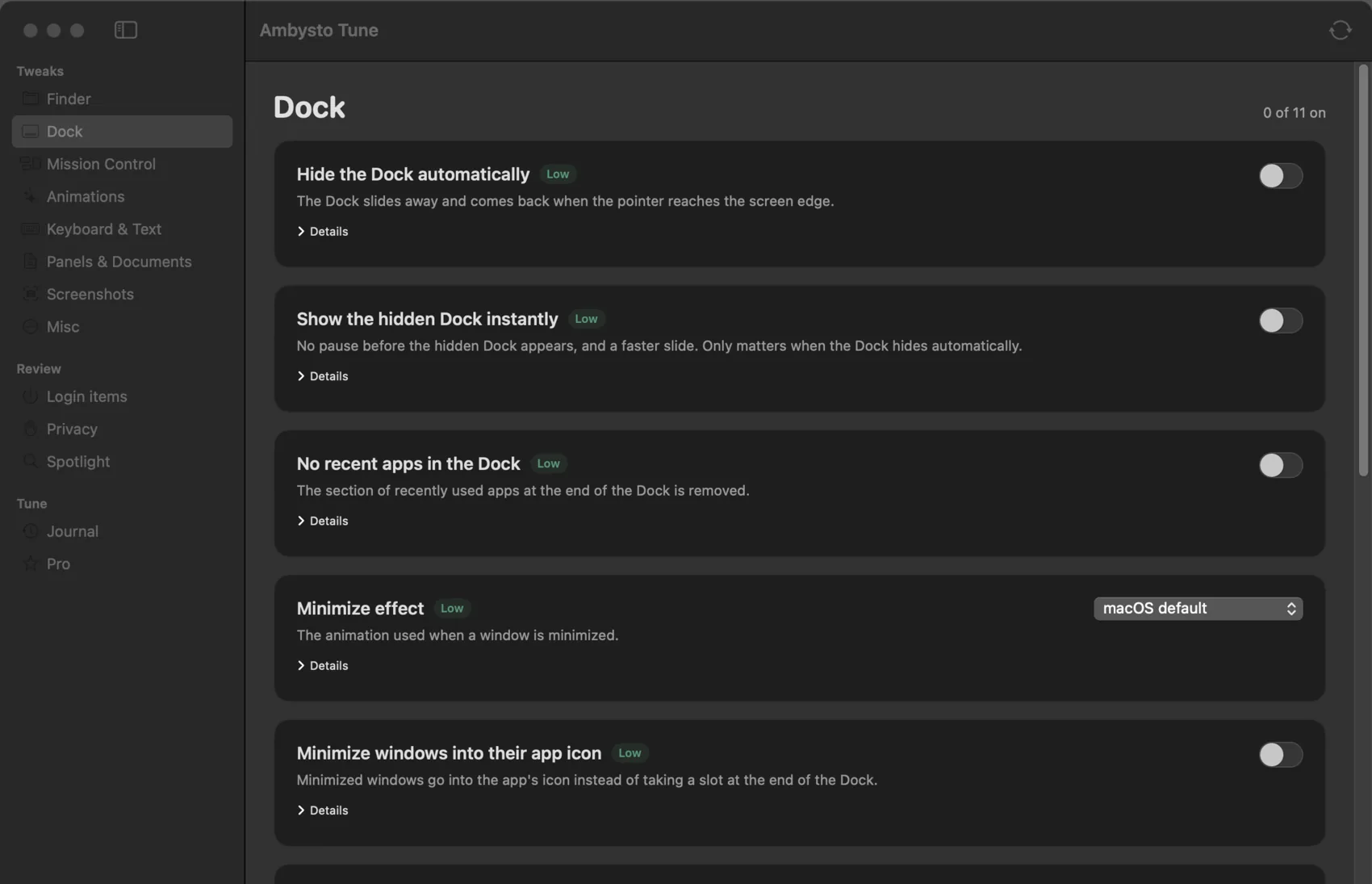
Each switch shows what it does, the exact key it writes, when you'll see it and how risky it is. Tune changes nothing until you do.
Finder
Hidden files, extensions, path and status bar, folders first, search this folder, no .DS_Store on shares.
Dock
Auto-hide with no delay, no recent apps, no bounce, size, position, minimize into the app icon.
Mission Control
Keep Spaces in the order you set, group windows by app, a faster animation.
Keyboard and text
Hold a key to repeat it. Turn off autocorrect, smart quotes, smart dashes and inline prediction.
Screenshots
Where they're saved, JPEG instead of PNG, no shadow, no floating thumbnail, the pointer included.
Login items
Your own LaunchAgents as switches. Agents and daemons installed by an administrator are listed, read only.
Privacy and Spotlight
A guided checklist that opens the right Settings pane. Spotlight index status, with a link to its settings.
Saved before. Checked after.
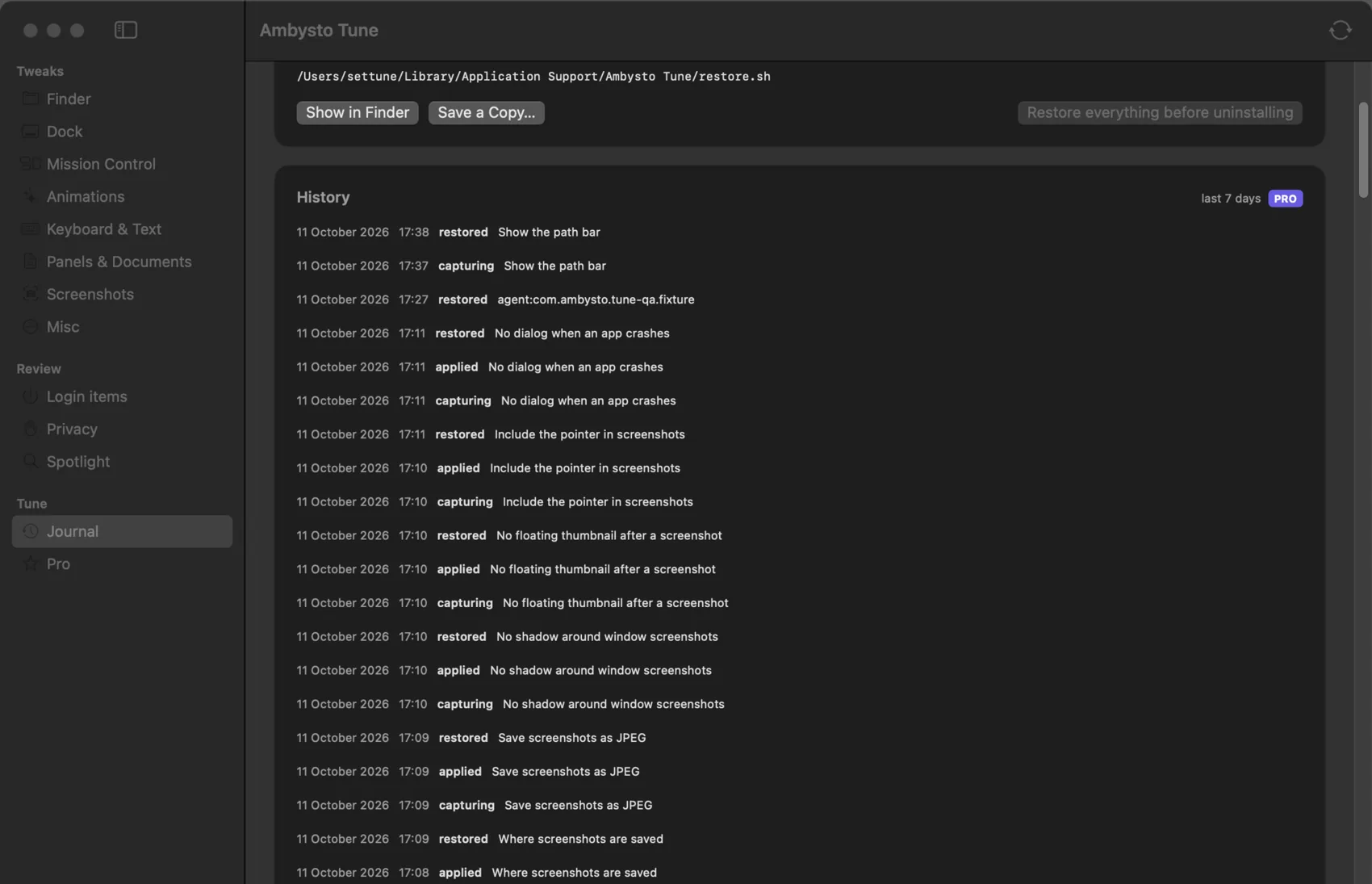
Every change is written to the journal before your Mac is touched. Tune reads the value back after writing it, to be sure it took.
Restore one tweak, or all of them. If something else changes a setting later, Tune notices at launch and tells you. Before you uninstall, one button puts everything back, and a restore script works even without the app.
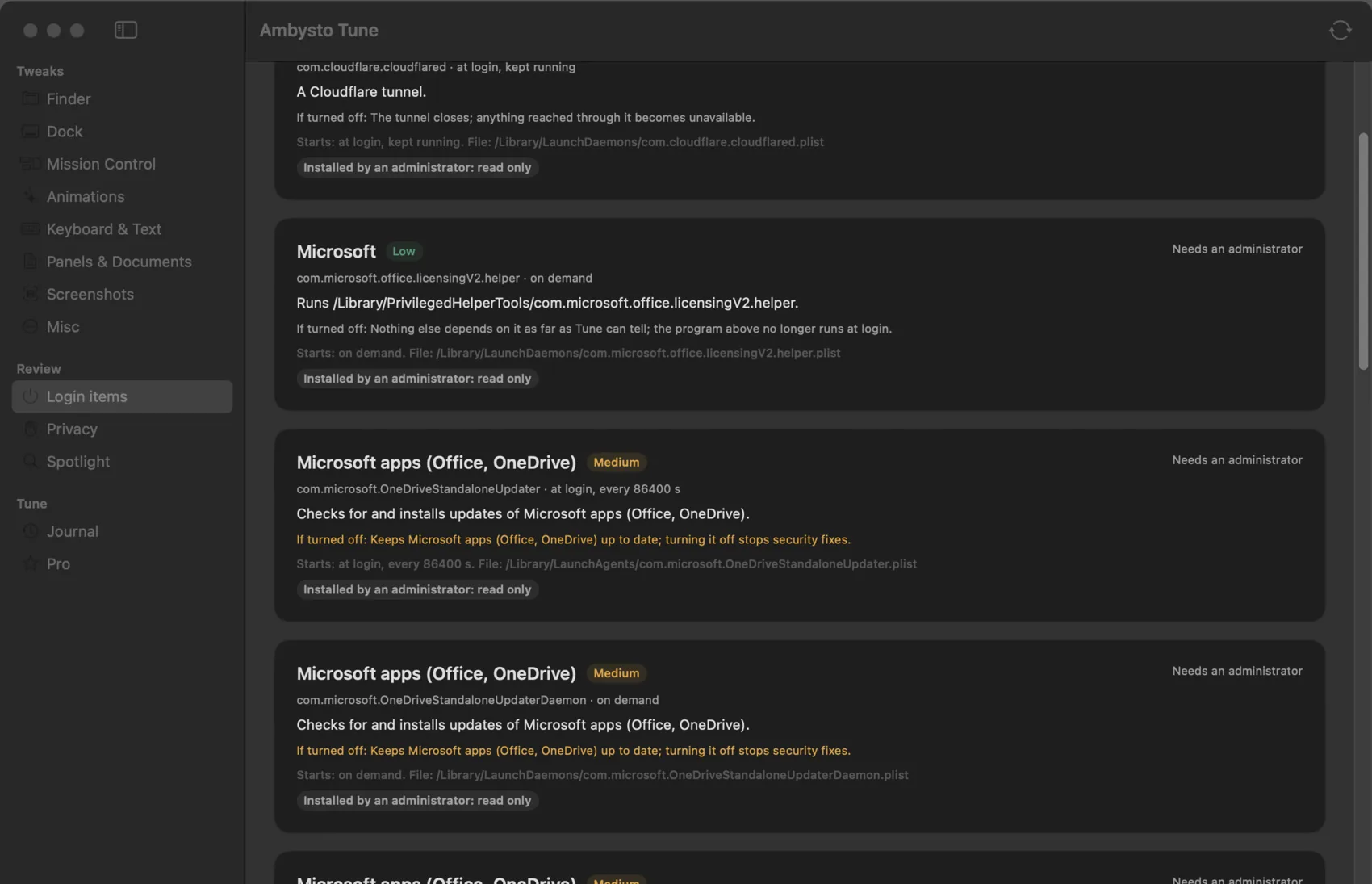
What starts when you log in.
Each item gets a plain name, what it runs, when it starts, and what stops working if you turn it off.
Your own agents get a switch. Items installed by an administrator are shown and left alone. The plist file itself is never moved, edited or deleted.
What Tune will not do.
The rules are in the spec, not in a settings screen.
- No admin password.No sudo, no privileged helper, no Full Disk Access, Accessibility or Automation prompt.
- No write without a saved original.If the current value can't be read, or a profile manages it, the tweak is refused and the reason shown.
- No security trade-offs.Gatekeeper, quarantine, firewall, FileVault and software updates are never offered as tweaks.
- No surprise restarts.When a tweak needs Finder or the Dock relaunched, Tune asks first. Nothing needs a reboot or a logout.
- No touching Apple's agents.macOS's own agents are never listed or switched. Items an administrator installed are shown read only.
- No uploads.The journal and everything else stay on your Mac. No telemetry, no account.
Free is the whole app.
Every tweak, every restore and every safety check is free, forever. We only charge when you are happy to pay.
| Free · $0 | Pro · $19.99 | |
|---|---|---|
| All 50 tweaks, login items, privacy, Spotlight | Yes | Yes |
| Save first, restore, Restore all, restore script | Yes | Yes |
| Notice of settings changed outside Tune | Yes | Yes |
| History | Last 7 days shown | Everything |
| Presets: Quiet Dock, Developer Finder, Fewer animations, Calm typing | No | Yes |
| Export and import presets between Macs | No | Yes |
| "What changed on this Mac" report (Markdown) | No | Yes |
Pro adds conveniences, nothing you need to get your settings back. One key, verified offline. No subscription, no auto-renewal. Full refund within 14 days of purchase. Only pay if Tune made your Mac feel like yours and you want to support independent development.
Fair ones.
Why doesn't it need any permissions?
Every tweak is a preference that your own user account is allowed to change. Tune writes it the way macOS expects, through the preferences system, never by editing files on disk. Login items are switched with launchctl for your own user only.
What if I uninstall Tune with tweaks still on?
Press "Restore everything before uninstalling" first. If you forgot, the restore script in Application Support puts the saved values back without the app.
Some switches are already on when I open it.
That means your Mac already behaves that way, by default or because you set it before. Tune says so, and records the original if you change it.
Why isn't it on the Mac App Store?
App Store apps are sandboxed and can't change another app's preferences or manage login items. Tune is sold directly.
Windows?
Later. A native Windows app is planned, built from the same written spec as the Mac app.
Change it. Keep the way back.
Ambysto Tune for macOS 14 Sonoma or later. Free to use, forever.